Peripheral release roundup
Logitech G305 X, Razer Hammerhead V3 X and Wootility 5.4: what changes for buyers
A practical look at Logitech's new G305 X mouse and G316 X keyboard, Razer's console-specific wireless earbuds and Wooting's automatic profile switching.
The short version
The useful part of this release group is not that everything is newer. Logitech has added a lighter G305-shaped mouse and a 98% hot-swap keyboard, Razer has made the console edition matter for a pair of gaming earbuds, and Wooting has made software behaviour more relevant when one keyboard is used across several apps. None of those changes automatically makes a product the right choice.
Mouse
Logitech G305 X SUPERLIGHT
What changed
Logitech announced the G305 X SUPERLIGHT mouse on 16 June, with a stated 30 June release. Official Australian product listings were verified on 13 August. The announcement's dollar price is a US figure, so it is not treated as Australian pricing here.
What is confirmed
- Logitech describes the G305 X SUPERLIGHT as an approximately 59 g mouse with LIGHTSPEED, Bluetooth and wired modes.
- The mouse uses the familiar G305 shape with a newer HERO sensor and an optional higher-report-rate receiver path.
- The exact G305 X SUPERLIGHT is not yet in the active Pick My Setup mouse catalogue.
Why it matters to a buyer
The G305 X is more interesting as a shape-and-connection update than as a simple performance upgrade. It could provide a lighter route for people who already suit the G305 shape, but it still needs ordinary classification and recommendation testing before entering the finder.
The trade-off
A lighter mouse can still be the wrong shape, and its fastest report rate depends on the receiver configuration. Familiar branding is not evidence that it will fit every G305 buyer.
Keyboard
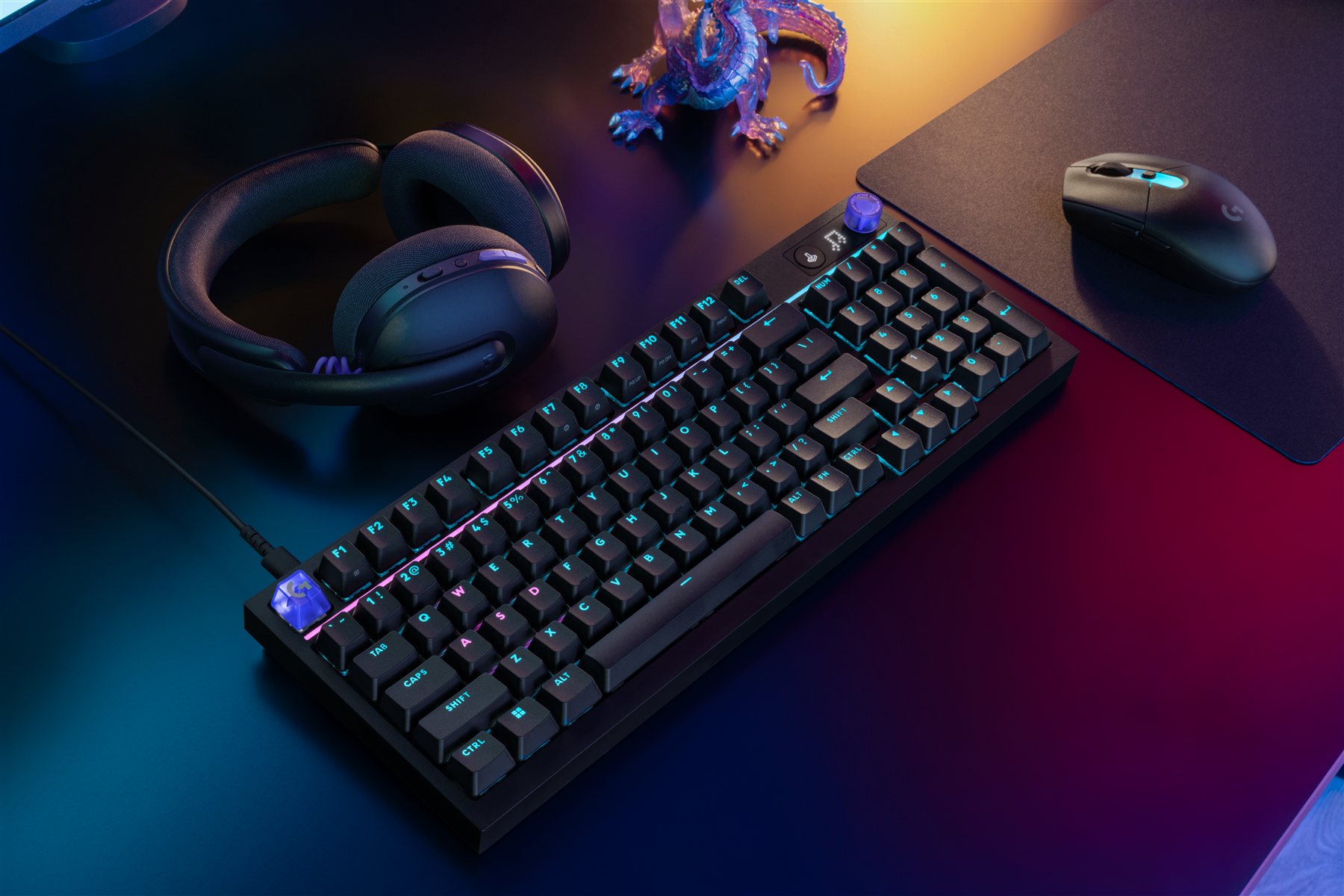
Logitech G316 X 98
What changed
Logitech announced the G316 X 98 wired mechanical keyboard on 16 June, with a stated 30 June release. Official Australian product listings were verified on 13 August. The announcement's dollar price is a US figure, so it is not treated as Australian pricing here.
What is confirmed
- The G316 X uses a 98% layout, hot-swappable switches, a control dial and an onboard dot-matrix display.
- Logitech describes an 8 kHz report rate and a snap-fit gasket construction intended to change sound and feel.
- The exact G316 X 98 is not yet in the active Pick My Setup keyboard catalogue.
Why it matters to a buyer
The G316 X raises a specific layout question: whether keeping a number pad in a compact 98% board is worth the tighter spacing. That decision matters more than the shared G3 branding or a headline report rate.
The trade-off
A 98% keyboard saves desk width but can feel more cramped than a full-size board and less spacious than a TKL. Hot-swap support does not guarantee the sound or feel a buyer expects.
Gaming audio
Razer Hammerhead V3 X HyperSpeed
What changed
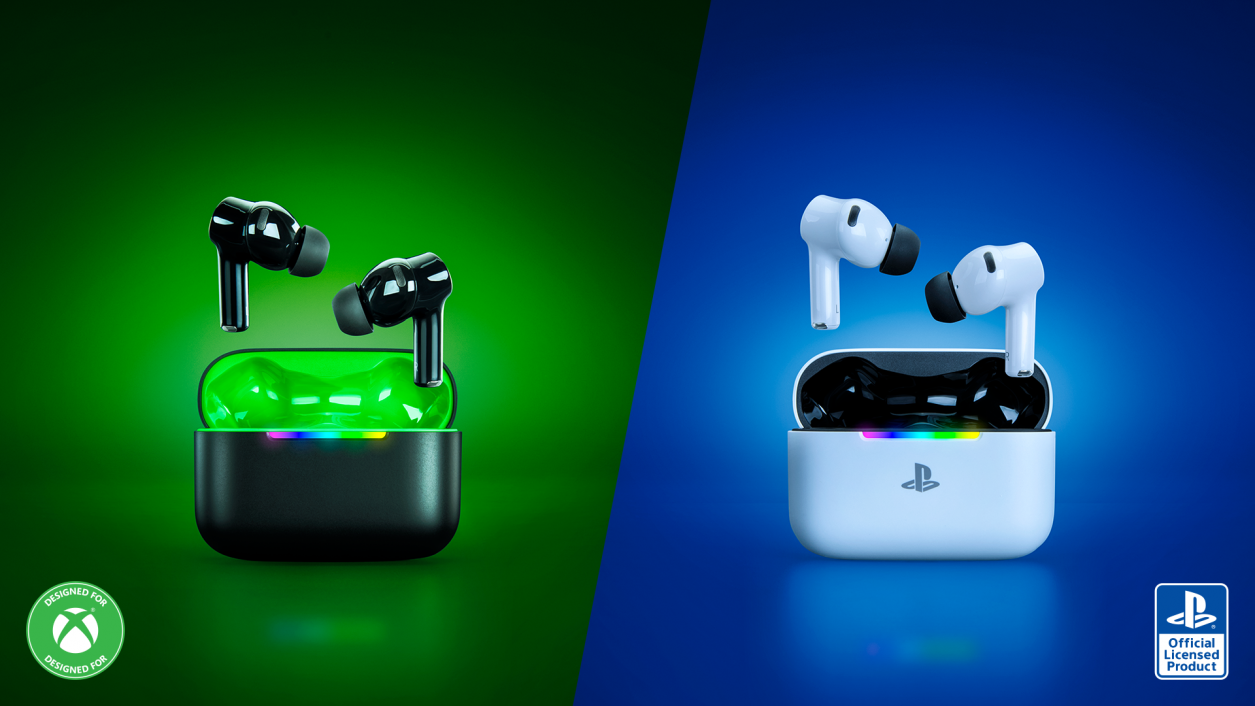
Razer announced separate Xbox and PlayStation editions of its Hammerhead V3 X HyperSpeed wireless gaming earbuds on 8 July. Both use a 2.4 GHz receiver built into the charging case alongside Bluetooth 5.3, but the edition affects console compatibility and spatial-audio support.
What is confirmed
- Razer states up to 10 hours from the earbuds and 25 additional hours from the case.
- The Xbox edition names Windows Sonic support; the PlayStation edition names 3D Audio support, while PC support includes THX Spatial Audio.
- The current Pick My Setup headset finder does not model in-ear versus over-ear form factor explicitly.
Why it matters to a buyer
The console edition is a real compatibility choice, not a colour choice. The larger product question is whether gaming earbuds belong inside the current headset finder at all. Adding them without a form-factor question would compare unlike products and could produce a misleading shortlist.
The trade-off
Earbuds reduce bulk and can suit travel, but fit, isolation, microphone position and long-session comfort differ from an over-ear headset. Those differences need to be represented before the product can be ranked fairly.
Keyboard software
Wootility 5.4 App Linking
What changed
Wootility 5.4 introduced App Linking, which can switch keyboard profiles when the focused app changes. Wooting says the background service must be running and firmware 2.14.0 provides the automatic switching. Version 5.4.1 is listed as the latest App Linking bugfix.
What is confirmed
- Official downloads are listed for Windows 10/11, macOS on Apple Silicon and Intel, and Linux AppImage.
- Wooting says a profile can be linked to apps and loaded as the user moves between windows.
- The official changelog does not provide a complete App Linking compatibility matrix for every Wooting model in the Pick My Setup catalogue.
Why it matters to a buyer
Automatic profiles can matter when one keyboard is used for work and several games, but this remains a software explainer rather than a catalogue update. It should not be turned into a blanket compatibility claim.
The trade-off
The convenience depends on a background service and current firmware. Buyers who prefer a minimal software footprint may value onboard controls more than automatic switching.